
Bloomfall: overgrown ruin explorer
An adventure and RPG game Ethan Hann built with Claude Opus 5.5. Copy the exact prompt free.
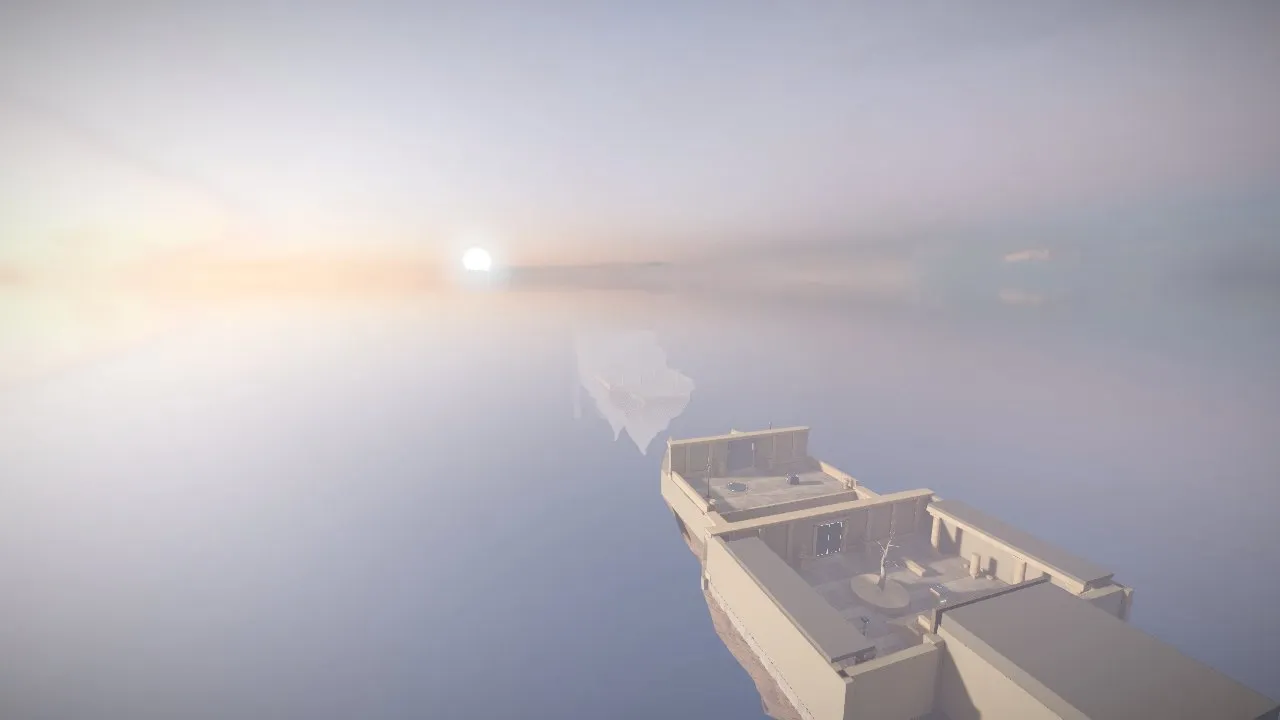
Ethan Hann built this with Claude Opus 5.5 and shared the full prompt on GitHub; it is quoted below word for word. A 3D exploration game built from a long, rule-heavy brief on Opus 5.5 at Max effort. The prompt tells Claude to play-test it from ten places and fix the weakest parts twice. Kick-off prompt; the creator steered a little during the build.
The prompt
You are an experienced game developer and technical artist. You are an expert at 3D game design and real-time graphics.

Your goal is a 3D game with the following idea:
Genre: Physics x Puzzle Platformer
Rule: Expanding World
Setting: Distant Future
Theme: Downfall

STANDING RULES:
1) The game must have a goal and an end state.
2) The game must have a small tutorial at the start that explains the mechanics.
3) There must be a feeling of progression.
4) Use Three.js for 3D rendering. Write the game as a TypeScript project built with Vite. The build must output one self-contained HTML file that runs offline. Commit that built file so the game can be played without building.
5) The graphics must look realistic, like a current indie game, not low poly. Aim for real materials, soft light, and atmosphere.
   - Every solid surface uses a full PBR texture set (color, normal, roughness) from CC0 sources such as Poly Haven and ambientCG. No flat colors except on glowing surfaces.
   - Use detailed models, or bevel the edges of simple shapes. Do not use stylized low-poly packs such as Kenney or Quaternius.
   - Light the world with an HDRI environment, soft shadows, ambient occlusion, and tone mapping.
   - Include a graphics quality setting.
6) Use Blender, scripted in Python, to build, clean up, and light the game's assets. Bake lighting into lightmaps for geometry that never moves. Anything that moves or changes uses real-time light and shadows. Commit the Blender scripts so every asset can be rebuilt.
7) You may use CC0 3D models, textures, HDRIs, and animations. Commit only the files the game uses. Keep the built HTML file under 50 MB.
8) Put the game in its own folder with a README.md that explains how to play, without spoilers. Add the game to the root README with this prompt, like the other entries.
9) If the world building is large, create a LORE.md file and a SPOILERS.md file. LORE.md contains world-building facts and screenshots. SPOILERS.md contains everything a new player should not know before playing.
10) No subagents and no workflows.

NOTES FROM A TEST RUN IN THIS ENVIRONMENT:
- Downloads work from npm, Poly Haven, ambientCG, Google Drive, jsDelivr, and raw.githubusercontent.com. Poly Haven (api.polyhaven.com) and ambientCG (ambientcg.com/api/v2/full_json) have JSON APIs that list download links. GitHub web pages and zip downloads are blocked, but git clone of a public repo works.
- `pip install bpy` installs Blender 5.0.1 as a Python module in about 20 seconds. It takes about 1 GB of disk and runs without a screen. Cycles baked two 512x512 lightmaps at 64 samples in about 9 seconds on the CPU. The glTF exporter wrote the lightmap UV map as TEXCOORD_1.
- Cycles bakes into the active UV map. Make the lightmap UV map active before baking, or the lightmap will not line up with its UVs.
- 8-bit PNG lightmaps clip bright light. In the test, 90% of a sunlit floor clipped to pure white. Baking into a float image and saving it as Radiance HDR fixed it. Each 512x512 HDR lightmap was 400 to 560 KB.
- In Three.js, load HDR lightmaps with HDRLoader, then set channel to 1 and flipY to false to match glTF UVs. With the default flipY, one face of a block turned black and its shadow fell on the wrong side.
- A model that loads its textures from separate files renders untextured once the build inlines it. Pack each model and its textures into one .glb first. `npx @gltf-transform/cli copy in.gltf out.glb` does this.
- New Vite projects add dist/ to .gitignore. Commit the built file anyway.
- The test browser is headless Chromium with a software renderer. It cannot measure real frame rate, and heavy effects make screenshots slow. In an earlier game, a 2560x1440 screenshot with bloom timed out. Use renderer.info (draw calls and triangles) to judge cost. WebGPU was available on a page served from localhost, but not on a data: URL.
- Realistic CC0 human models with good animations barely exist. A human character seen up close will look the worst.

Keep going until it is finished. Finished means you would be proud to show it, not that it runs.

Check your work by running it, not by reading the code.

Before you stop, use it the way a first-time player would. Take screenshots from at least ten places. List the weakest parts of the experience, including anything that looks fake or dated, and fix them. Do this at least twice.

Make every decision yourself. Do not ask me anything. When you finish, tell me what you could not verify.
Prompt by Ethan Hann, quoted word for word from their GitHub repository. Model as stated by the creator; your result will differ.
What’s inside
- Copy the prompt below, or download it as a SKILL.md
- Paste it into Claude Opus 5.5, ideally in Claude Code so it can write, run and test the game
- Swap in your own theme, characters or rules where the prompt names theirs
- Play it, then ask for fixes and polish in plain words
What you’ll bring
- Claude Opus 5.5 (Claude Code, or a Claude chat for single-file HTML games)
- A browser to play the result
- Your own twist on the idea, if you want one
What you’ll get
- A playable browser game in the spirit of the one above, written by Claude
- The code, which you can keep editing
Perfect for
- Anyone who wants to make a game without coding
- Developers testing what Opus 5.5 can build
- Teachers and parents making a game with kids
Also found as
opus 5.5 game prompt · claude game prompt · one shot game prompt · adventure & rpg · bloomfall: overgrown ruin explorer
Questions
What is Bloomfall: overgrown ruin explorer?
Bloomfall: overgrown ruin explorer is an adventure and RPG game that Ethan Hann built with Claude Opus 5.5. This page quotes the prompt they shared, word for word.
Who made it, and where was the prompt shared?
Ethan Hann made it and shared the prompt on GitHub: https://github.com/ethan-hann/claude-fun#bloomfall. You can find more from them at https://github.com/ethan-hann/claude-fun.
How do I use the prompt?
1. Copy the prompt below, or download it as a SKILL.md. 2. Paste it into Claude Opus 5.5, ideally in Claude Code so it can write, run and test the game. 3. Swap in your own theme, characters or rules where the prompt names theirs. 4. Play it, then ask for fixes and polish in plain words.
Is it free?
Yes. Copying the prompt and downloading the SKILL.md costs nothing on Omo. You run it with your own access to Claude Opus 5.5.
The video and the prompt belong to Ethan Hann. Omo lists them free, with credit and a link to the original post. Creators can ask us to remove a listing at omo.space/support.