WHAT YOU'RE ABOUT TO RUN
This is what shows up
on your own screen.
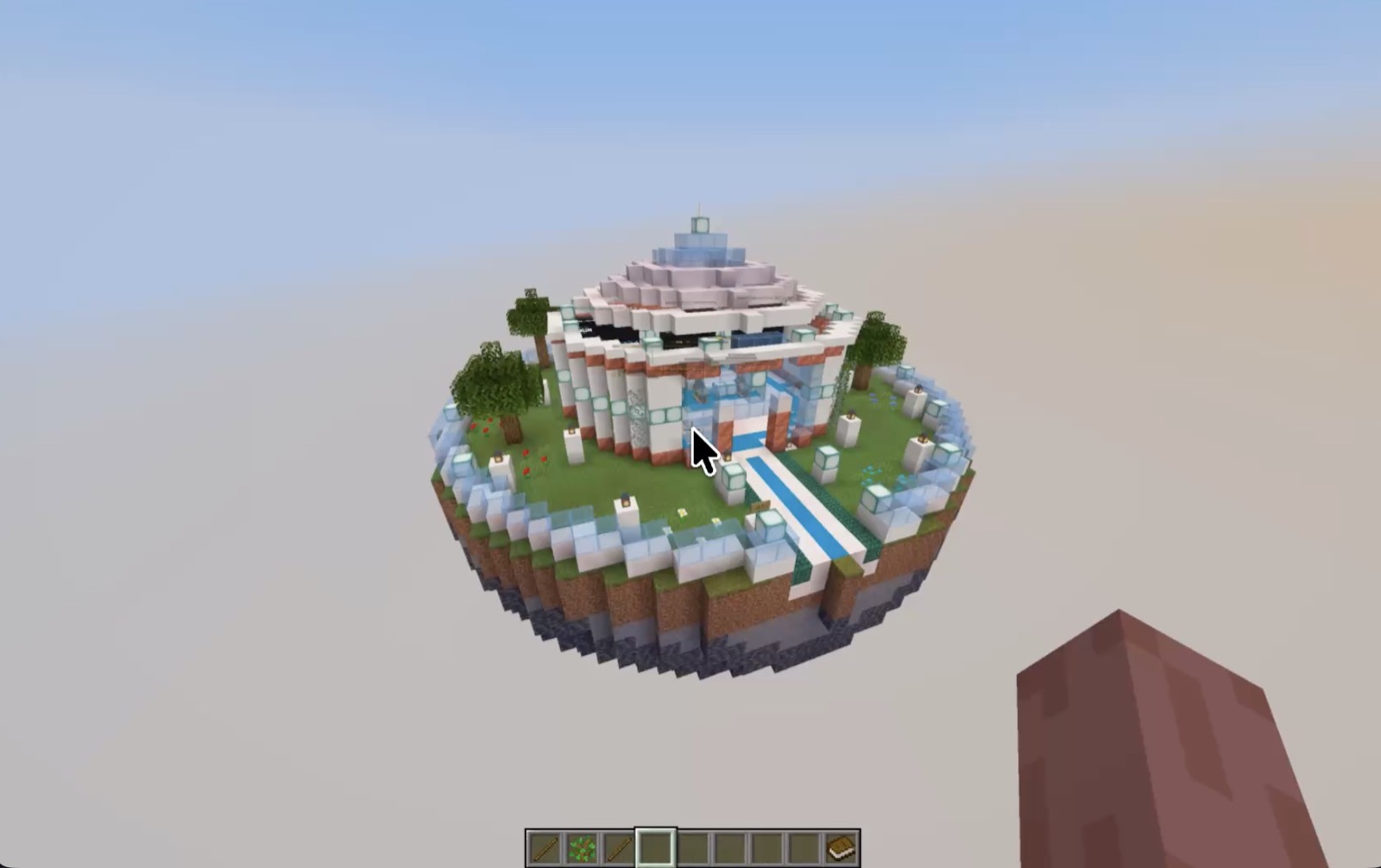
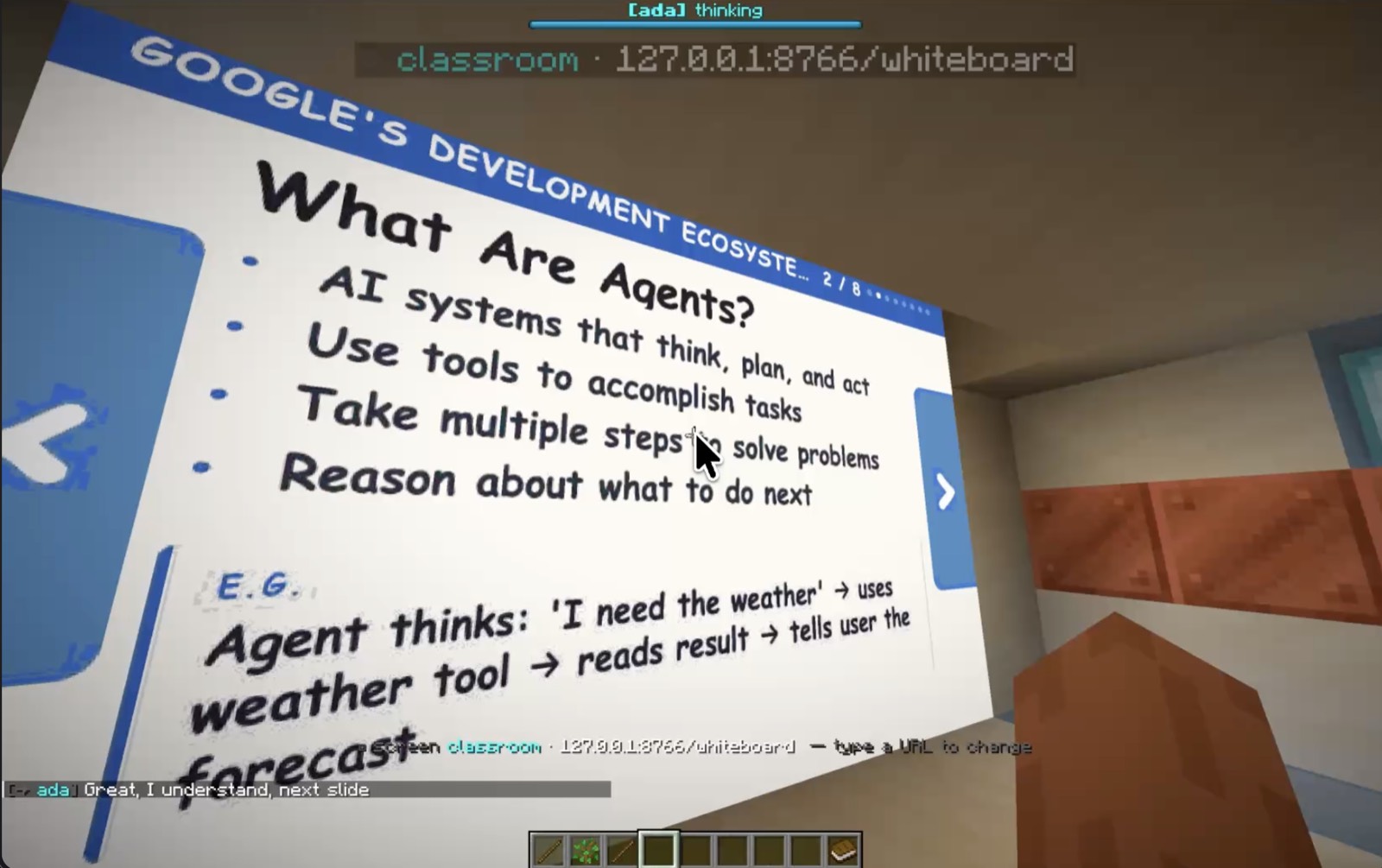
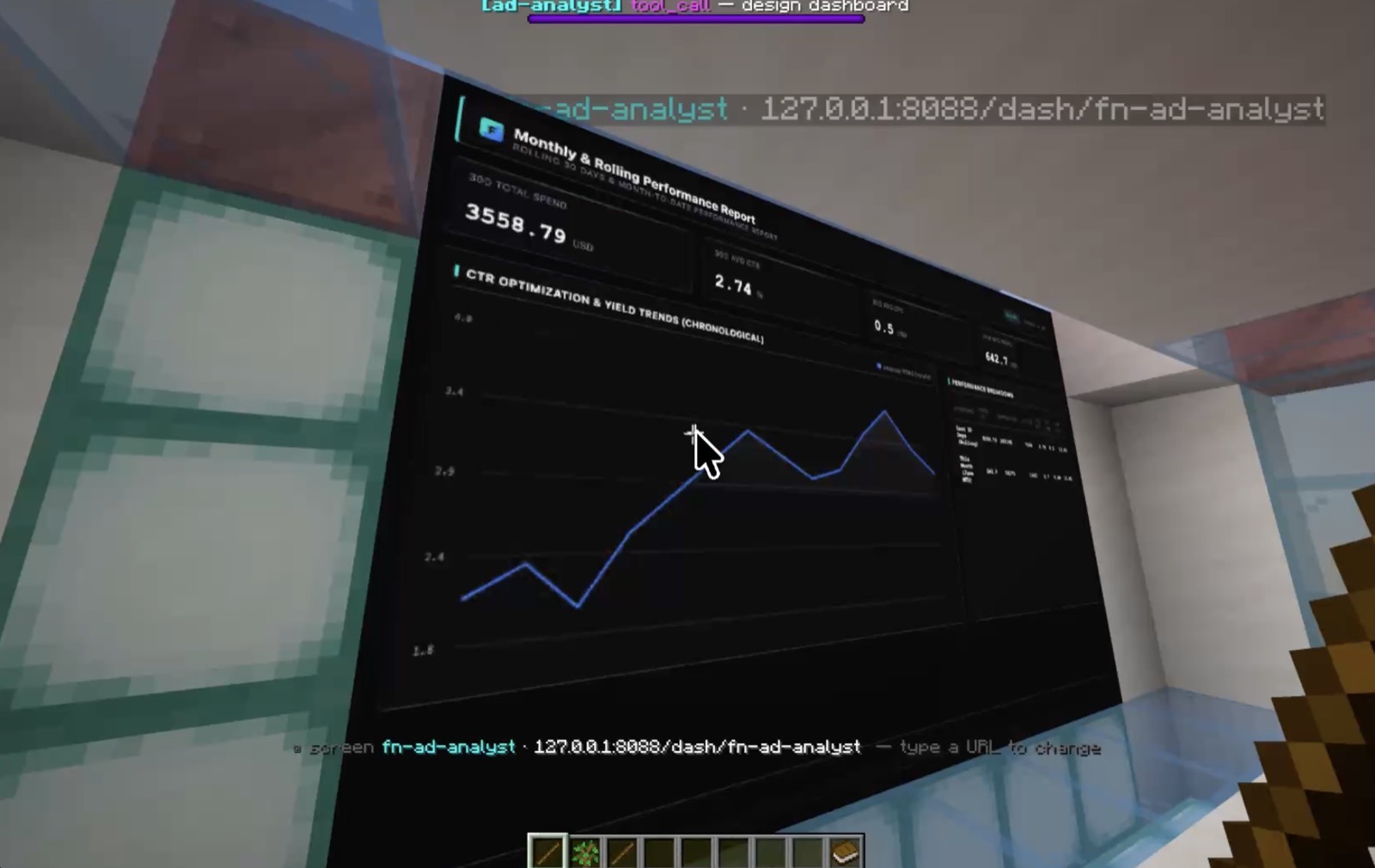
Real screenshots from a local run. Ten minutes from now, this is your world: an HQ, a classroom that teaches itself, and a dashboard of your real data.
▸ TRY IT YOURSELF
Watch the demo, then clone the repo, drop in a free Gemini key, run one command, and walk into Omo in Minecraft. Takes about 10 minutes.
SEE IT IN ACTION
One continuous take: walk up and ask for a teammate, a new room rises block by block, an agent walks in, the wall lights up with live data.
Want the whole thing shot by shot? See the full demo →
WHAT YOU'RE ABOUT TO RUN
Real screenshots from a local run. Ten minutes from now, this is your world: an HQ, a classroom that teaches itself, and a dashboard of your real data.
BEFORE YOU START
Built and tested on macOS (Apple Silicon). On a Mac, install the toolchain with one Homebrew line — the rest is automatic.
brew install openjdk@21 maven node python jq
Runs the Paper server & builds the plugin.
The runtime / orchestrator (tsx).
The ADK + Gemini agent service.
The real game client — you play in it. (minecraft.net)
The brain of every agent. Get one free ↗
Fabric mod for fullscreen in-world screens + voice. In the repo.
RUN IT LOCALLY
Copy each block. The launcher does the heavy lifting — Paper download, plugin build, npm install, token wiring.
Grab the code and step into it.
git clone https://github.com/harrythentrepreneur/omo-minecraft.git
cd omo-minecraft
Fetches Paper, builds the plugin, installs runtime deps, and writes runtime/.env (with a synced bridge token).
./agentcraft setup
The key powers the agents and the world-architect, so it goes in two places. Paste your key in place of YOUR_KEY.
# 1) the runtime (Gemini world-architect)
echo 'GOOGLE_API_KEY=YOUR_KEY' >> runtime/.env

# 2) the ADK crew (Chief of Staff + specialists)
mkdir -p omo-agent/omo
cat > omo-agent/omo/.env <<'ENV'
GOOGLE_API_KEY=YOUR_KEY
GOOGLE_GENAI_USE_VERTEXAI=FALSE
OMO_GEMINI_MODEL=gemini-flash-latest
ENV
cp omo-agent/omo/.env omo-agent/specialist/.env
A one-time Python venv for the adk api_server.
python3 -m venv omo-agent/.venv
omo-agent/.venv/bin/pip install google-adk
Boots the ADK crew, the runtime, and the Paper server — and tails the logs. One command for the whole stack.
./agentcraft
Stop with ./agentcraft stop · re-tail with ./agentcraft logs · full restart with ./agentcraft restart.
Open Minecraft Java 1.21.4 → Multiplayer → Direct Connect → localhost. Then in chat, drop the HQ and talk to the Chief of Staff:
/omo hq
Walk up to the Chief of Staff and say it out loud:
Check whether our ad spend is still paying off — and keep watch.
A new wing rises on the path, a Gemini specialist walks in, and the wall lights up with live data. Ask for a school and it builds a classroom too.
THE LAZY WAY
Clone the repo, open it in Claude Code / Cursor / any terminal AI, and paste this. It walks you through every step and fixes errors as they come.
I want to run Omo Mission Control locally on macOS.
Repo: https://github.com/harrythentrepreneur/omo-minecraft
I've cloned it and I'm in the project root. Walk me through setup
ONE step at a time, waiting for me to confirm after each:

1. Check I have the prereqs (java 21, maven, node 20+, python 3.10+,
   jq, curl). For anything missing, give me the exact `brew install`.
2. Help me get a FREE Google AI Studio (Gemini) API key, then put it in
   BOTH places: append GOOGLE_API_KEY to runtime/.env (the world-architect),
   and create omo-agent/omo/.env with GOOGLE_API_KEY, GOOGLE_GENAI_USE_VERTEXAI=FALSE,
   OMO_GEMINI_MODEL=gemini-flash-latest (copy it to omo-agent/specialist/.env too).
3. Create the ADK venv: python3 -m venv omo-agent/.venv &&
   omo-agent/.venv/bin/pip install google-adk
4. Run `./agentcraft setup`, then `./agentcraft`. Watch logs/ and fix any errors.
5. Tell me how to connect my Minecraft Java 1.21.4 client to localhost,
   then what to type in-game: `/omo hq`, then talk to the Chief of Staff.

If a command fails, read the error (and `./agentcraft logs`) and fix it
before moving on. Keep replies short and tell me exactly what to run next.
IF SOMETHING'S OFF
The ADK crew didn't start — check logs/adk.log and that your Gemini key is in omo-agent/omo/.env.
The world-architect needs GOOGLE_API_KEY in runtime/.env. A fallback pod still builds without it.
Wait for paper ready on :25565 in the logs, then Direct Connect to localhost.
./agentcraft status shows every service; ./agentcraft logs tails them all.
That's the optional Fabric client-mod — build it from client-mod/ and add it to your mods folder.
./agentcraft restart does a clean full restart of the whole stack.